
What’s New for February 2019?
JMeter 5.1 now supported
We’ve upgraded our engine images to support JMeter 5.1
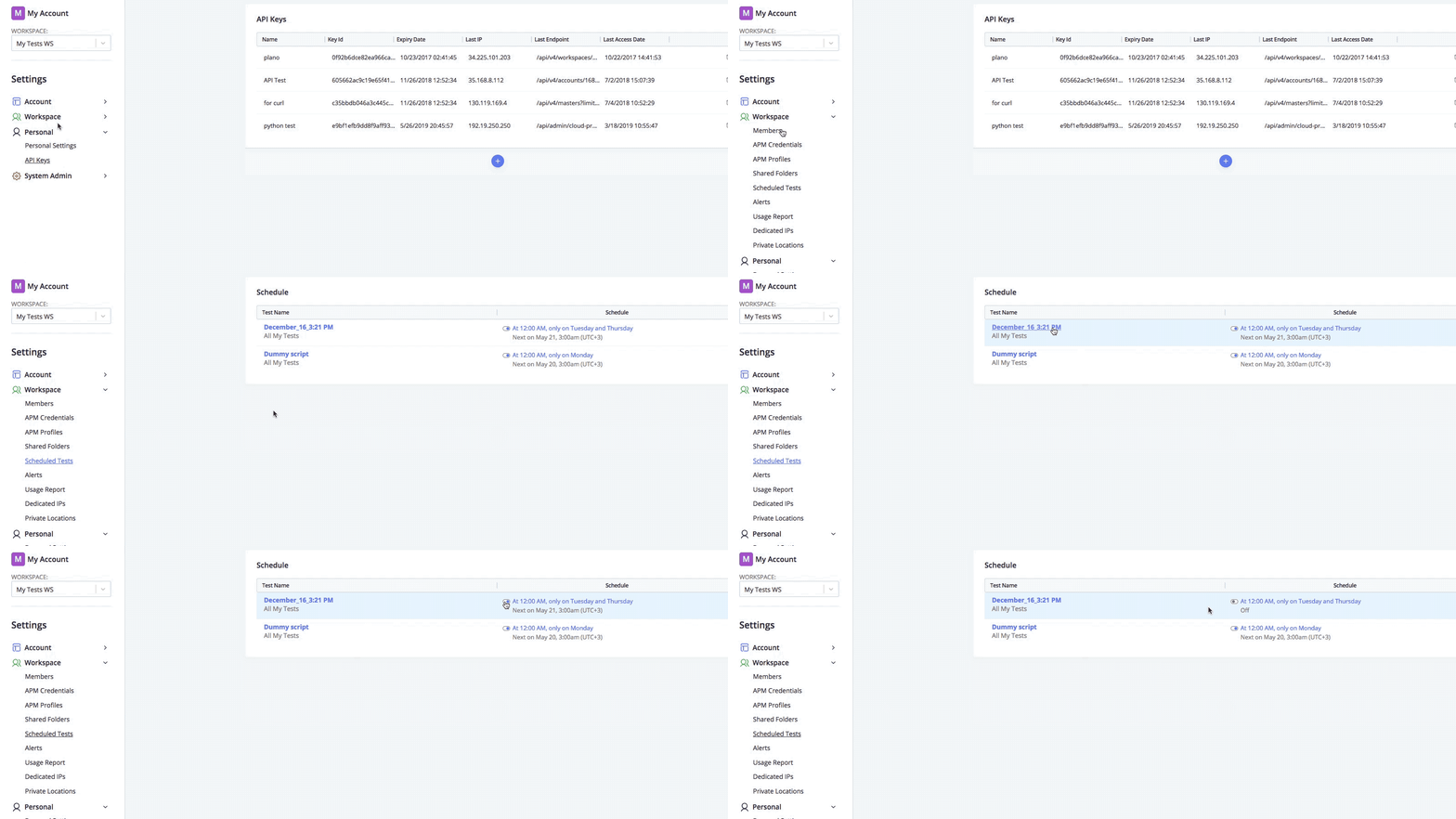
Centralized scheduling management
Users now have full visibility & management on scheduled tests across each workspace they are part of.
Market researcher Zibis compares Loadrunner and BlazeMeter for teams moving towards agile CI/CD testing methods. Learn why both shift-left and traditional testing teams are accelerating their digital, agile, and DevOps transformation with BlazeMeter, either on its own or together with LoadRunner.
Join the #JMeter Slack channel to ask questions, share resources, coordinate on projects and stay updated together to create and run better load tests.
Don't miss out on this starter guide to JMeter testing. Learn everything you need to know about this leading open-source performance testing tool.
Get in touch with the BlazeMeter team for sales inquiries, product questions, or customer support. We're here to help.
We’ve upgraded our engine images to support JMeter 5.1
Users now have full visibility & management on scheduled tests across each workspace they are part of.
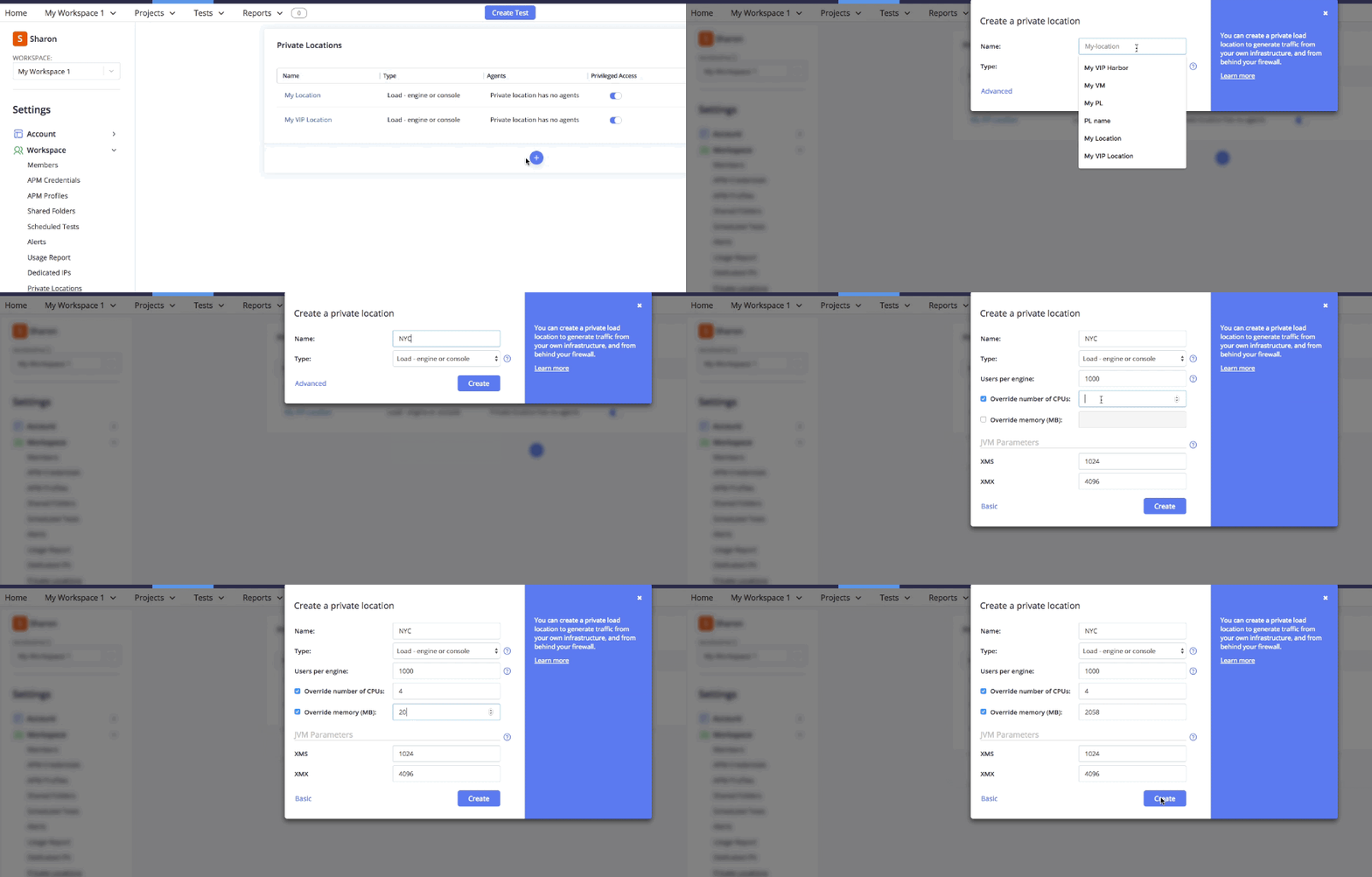
Need different engine sizes for different testing purposes? No problem! Account admins can now control the Engine size (CPU & RAM) and have different engine “types” from various locations. We will soon be adding the option so users with “tester” permission/role will not be able to access the Private Locations configuration.
New design and architecture for Remote Control update during test run allows you to update JMeter parameters for every scenario and location simultaneously. Furthermore, if a test has multiple scripts and locations, we will divide the RPS relatively between the scenarios and locations, according to the VUHs configured per location \ scenario
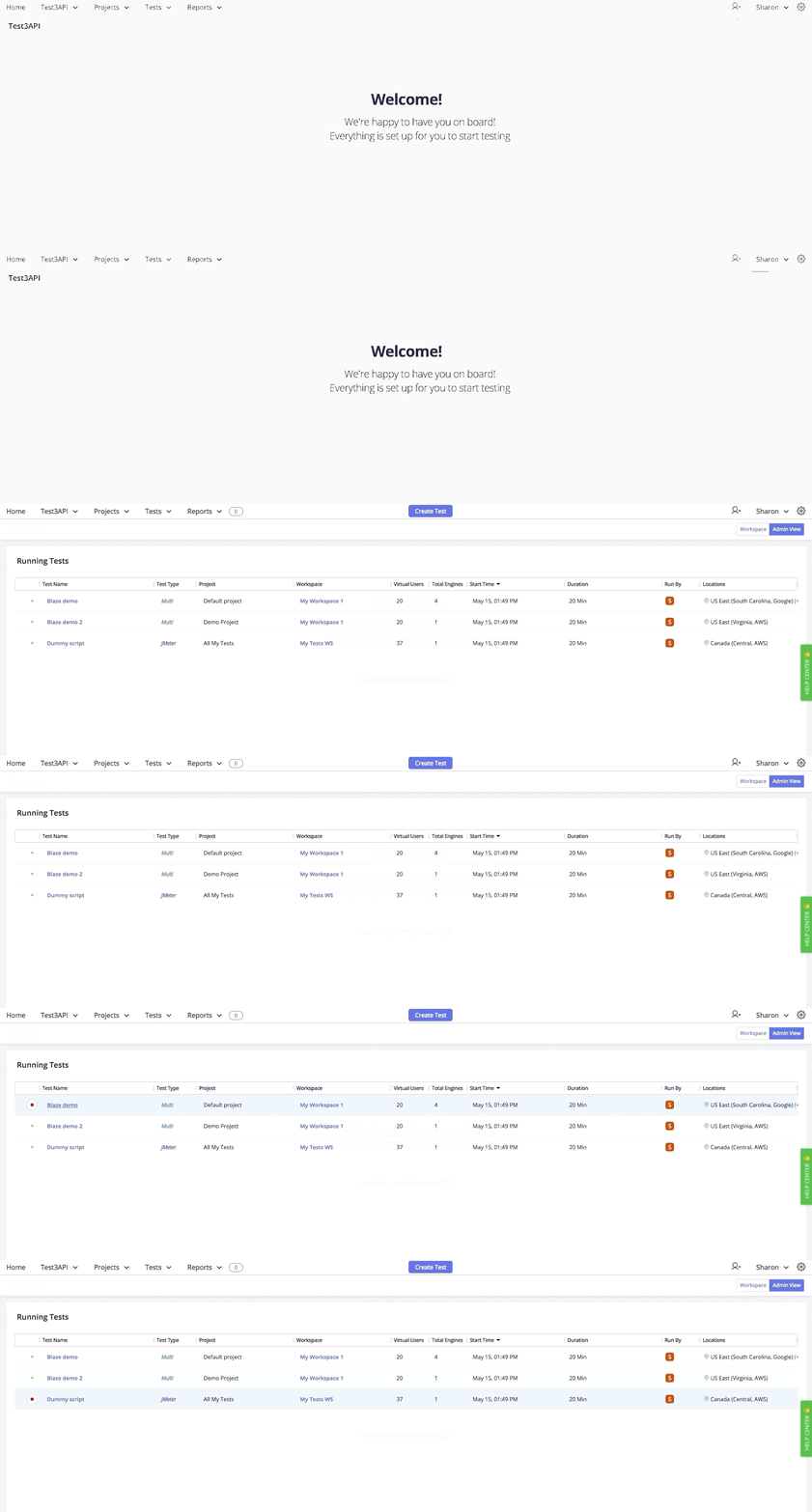
For a BlazeMeter account admin, it’s important to have full visibility on the usage and resource utilization on the account level. The new admin view can be accessed from the top-right from any workspace dashboard, and allows account admins to see all tests that are currently running, including their details. Account admins can also choose to stop any tests directly in this new admin view. We are expanding this admin view to include more information such as location utilization.
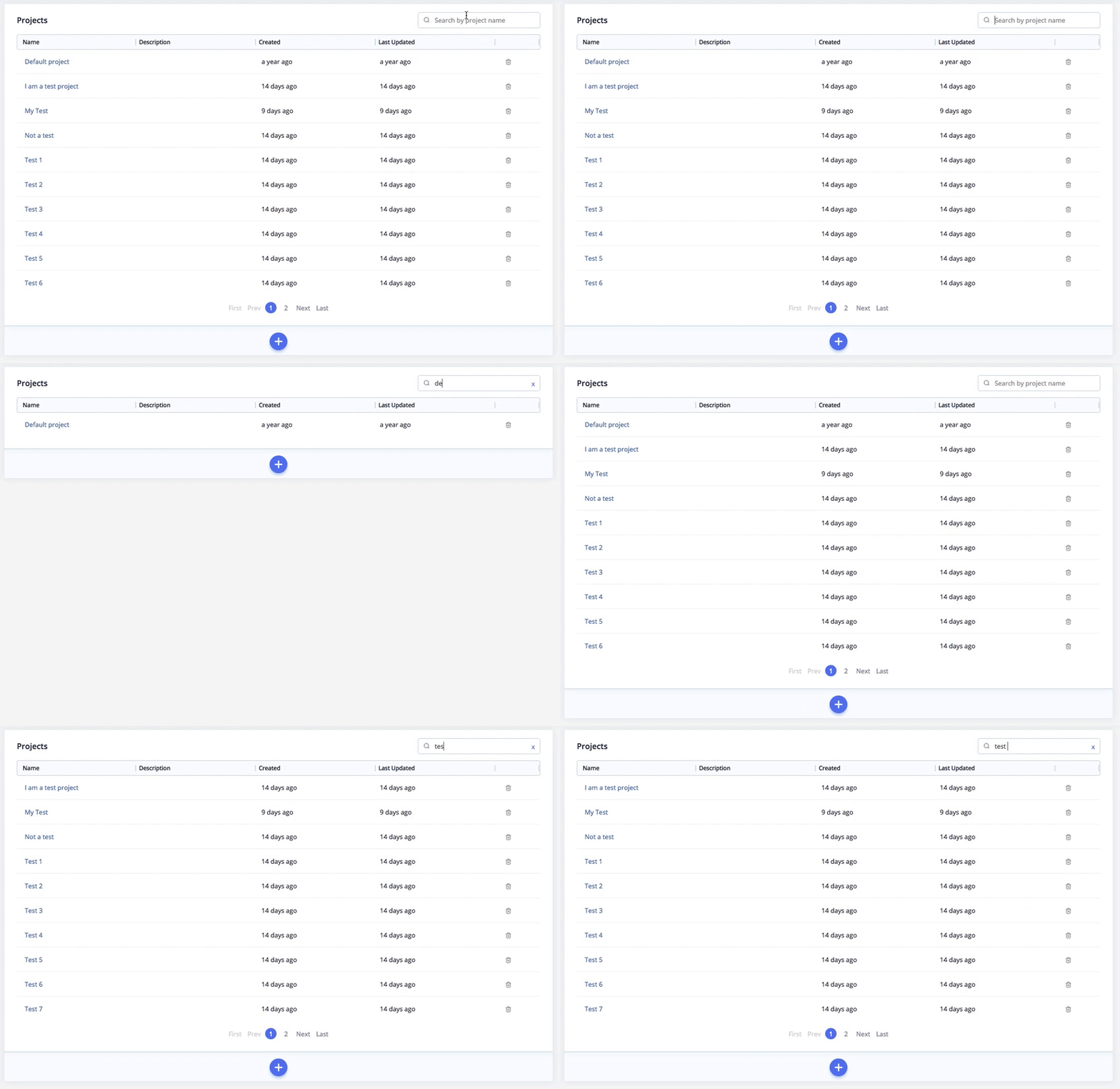
Have access to tens of projects and you can’t find the one you are looking for? In order to help you navigate and find your projects, we’ve added a search capability in the projects page to easily find what you are looking for.
We modified the default location in the new created test to be US East (Virginia) in Google Cloud. You can then choose your desired location from the same list.
We have completed moving our SaaS infrastructure for the API Monitoring component of the Platform from AWS to GCP.
Make informed decisions about the role testing plays within your organization & determine how testing affects your bottom line with estimated dollars and cents.
Stay informed with BlazeMeter's latest release notes—featuring monthly updates on new features, performance enhancements, and integrations across continuous testing, API monitoring, and service virtualization.