
The High Cost of Unpreparedness During Peak Traffic
Major traffic events compress revenue, customer trust, and release risk into a short window. Whether your team supports streaming launches, ticketing surges, deadline-driven portals, Prime Day promotions, or Black Friday traffic, untested systems put critical digital journeys at risk.
BlazeMeter helps teams validate critical journeys and APIs under expected and worst-case load before the event window. With realistic traffic models, repeatable test execution, and cloud and private locations, teams can identify bottlenecks early and make better go or no-go decisions before peak demand arrives.

Protect and Grow Revenue
Test the journeys that matter most, including login, search, cart, checkout, payment, playback, submission, and core APIs.

Reduce Release Risk
Establish baselines, simulate peak demand, and catch regressions before high-stakes events go live.

Keep Testing Moving
Reuse open-source scripts, scale without lab overhead, and remove dependency blockers with service virtualization and private locations.
How BlazeMeter Supports Peak-Event Readiness
Prepare web, mobile, and API experiences for major traffic events with a repeatable workflow built for scale, realism, and faster decision-making:
Identify the highest-risk user journeys, APIs, and service dependencies for the event window, including expected and worst-case traffic patterns.
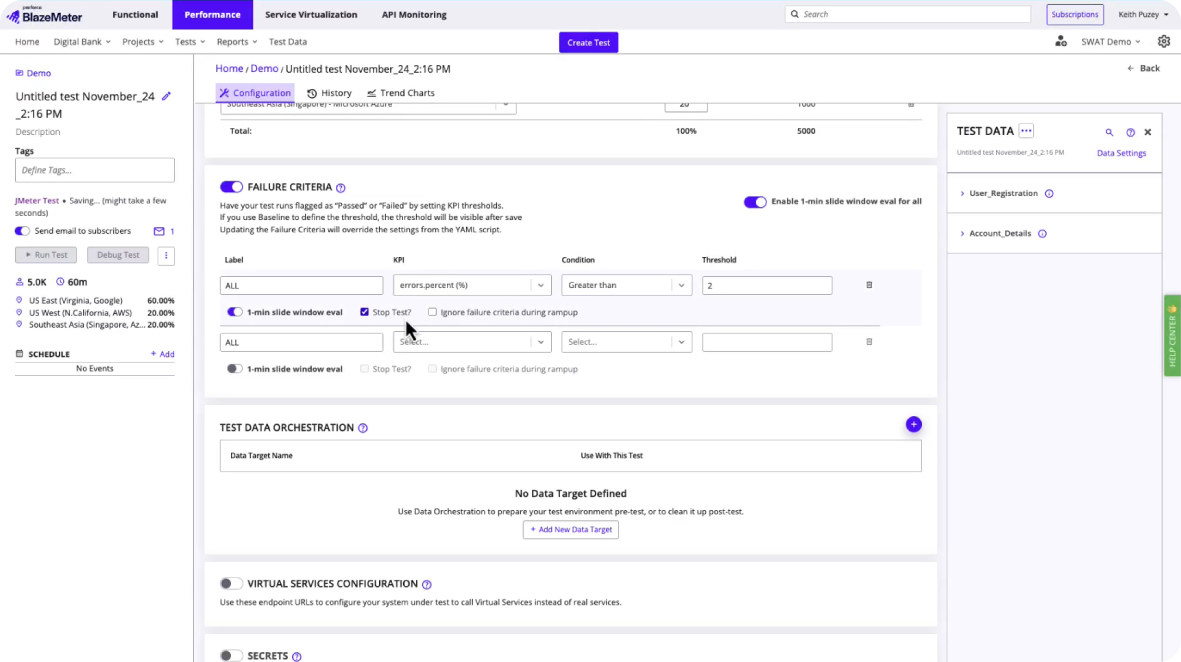
Run JMeter, Gatling, k6, and other open-source scripts your teams already use without forcing a separate testing approach.
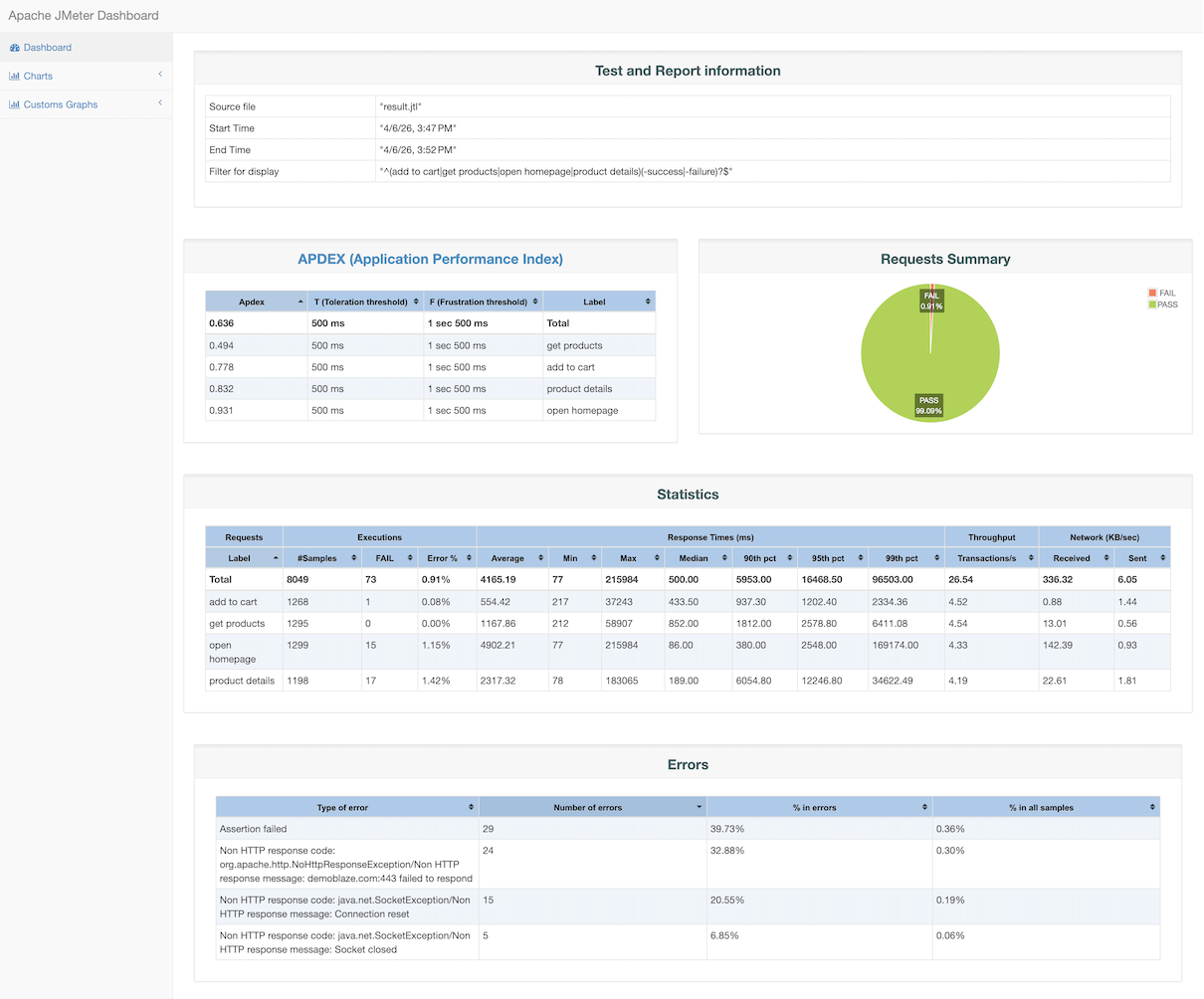
Scale tests through cloud and private locations based on your environment, plan, and target concurrency.
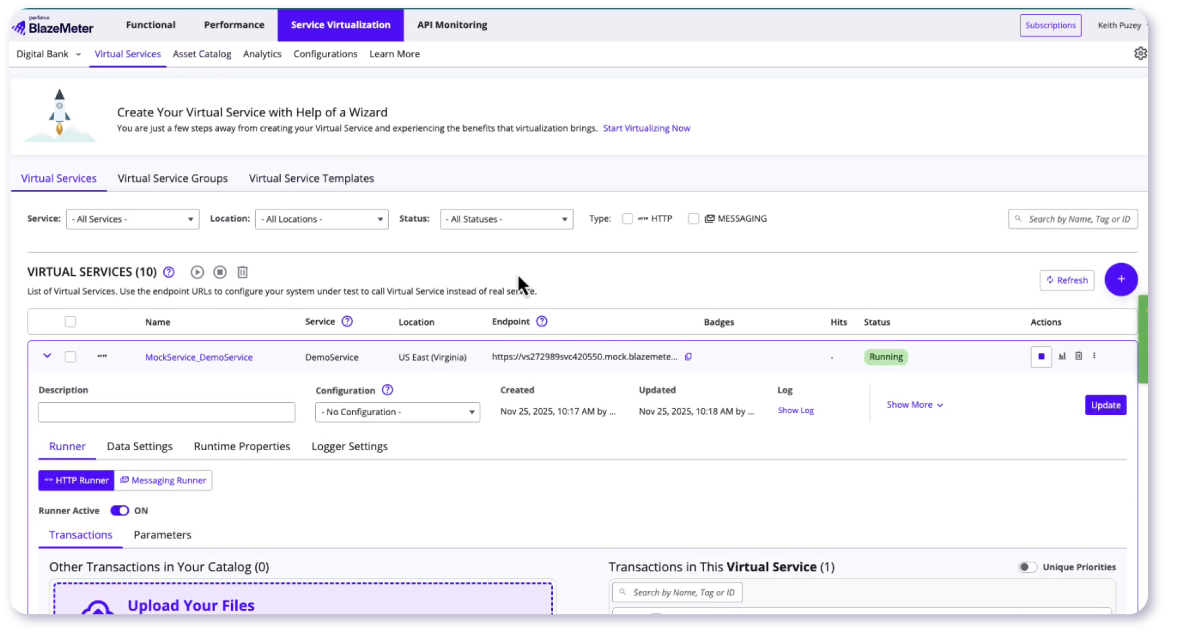
Test web, mobile, and API experiences together, including unstable or unavailable dependencies with service virtualization.
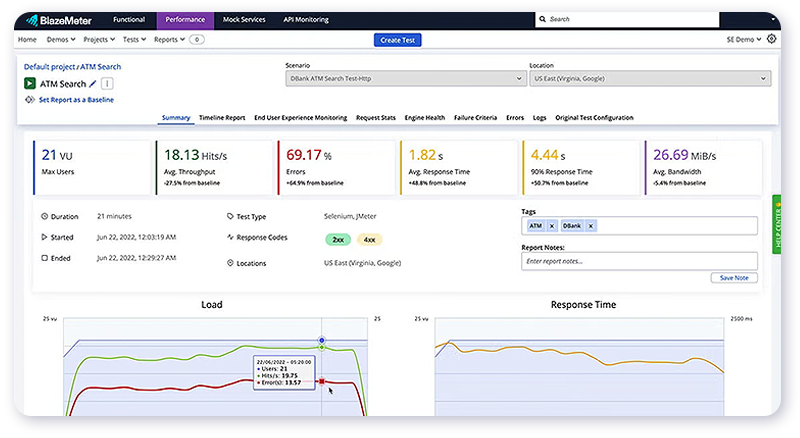
Use baselines, AI-assisted analysis, and APM correlation to surface bottlenecks faster and support go or no-go readiness decisions.
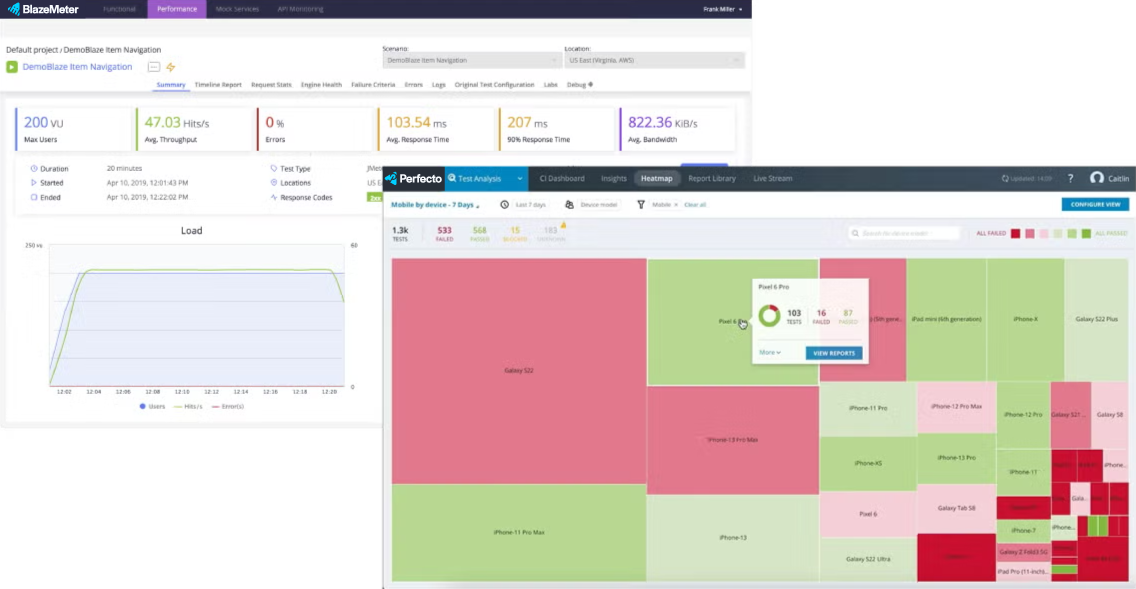
Why Enterprise Teams Use BlazeMeter for Peak Traffic Events
BlazeMeter helps teams validate critical journeys before traffic spikes hit, scale tests without infrastructure drag, and reduce the risk of performance failures across complex digital experiences.

Scale With Confidence
Run high-concurrency tests without maintaining a performance lab. BlazeMeter supports cloud and private locations so teams can validate peak readiness across regions, environments, and high-demand traffic scenarios.

Compatible Across Industries
BlazeMeter equips organizations across all major sectors to achieve peak performance testing for critical events:

Test Without Waiting for Dependencies
Remove environment blockers before they slow peak-event preparation. BlazeMeter Service Virtualization helps teams simulate unavailable, unstable, or third-party systems so they can validate real-world scenarios, including latency, failures, and service-chain risk, before launch.

Open-Source By Design
Run JMeter, Gatling, k6, and other open-source frameworks at enterprise scale. BlazeMeter helps teams reuse existing assets, avoid vendor lock-in, and keep developers productive without rebuilding tests for a new platform.
Proven Readiness for High-Demand Events

TELUS Saves $180K Annually While Scaling for Black Friday
By modernizing its performance testing strategy with BlazeMeter, TELUS eliminated infrastructure maintenance overhead and scaled performance testing during peak events. Explore how the move reduced annual licensing costs by up to $180,000 and accelerated their time-to-market.

Large Canadian Retailer Enables Shift-Left Testing
A leading retail organization faced testing bottlenecks that increased production risk ahead of high-traffic shopping events. Transitioning to BlazeMeter empowered their developers to run tests independently, leading to a 30x increase in annual performance test runs and significantly reducing high-severity performance incidents in production.

Major Entertainment Company Validated Streaming Scale
A major entertainment company reached peak CVU usage of 430k with about 950 engines and 45 parallel tests, helping teams align on shared load targets ahead of large-scale streaming demand.
Prepare for Your Next Peak Traffic Event Today
BlazeMeter helps teams establish baselines, simulate peak demand, validate dependencies, and catch regressions before launch across web, mobile, and APIs.
Frequently Asked Questions
Peak load testing evaluates how an application, website, or API performs when traffic reaches expected or high-demand levels. It helps teams identify performance bottlenecks and validate critical digital journeys before major traffic events.
Preparing a website for peak traffic typically involves establishing performance baselines, identifying business-critical user journeys, simulating anticipated and worst-case demand, testing dependencies, and analyzing results before launch. BlazeMeter’s peak traffic testing page describes this workflow across web, mobile, and API experiences.
Peak load testing focuses on validating performance at anticipated high-demand levels, while stress testing pushes a system beyond normal or expected capacity to understand where performance begins to degrade. Both approaches can help teams identify risk before high-traffic events.
Prioritize revenue-critical experiences such as login, search, cart, checkout, payment, and the APIs supporting those workflows. BlazeMeter specifically identifies these as important journeys for peak-event testing.
Teams can establish performance baselines, simulate expected and worst-case demand, analyze bottlenecks, and evaluate results against readiness targets. BlazeMeter supports baselines, AI-assisted analysis, and APM correlation to help teams make go or no-go readiness decisions.
Yes. API performance is an important part of peak traffic testing because APIs often support critical experiences such as login, search, checkout, payments, and submissions. BlazeMeter enables teams to test APIs alongside web and mobile experiences.
Yes. JMeter scripts can be used to create performance tests that simulate high levels of traffic. BlazeMeter supports JMeter as well as Gatling, k6, and other open-source frameworks, allowing teams to reuse existing test assets and scale them for peak-event scenarios.
Useful performance indicators include response times, throughput, error rates, resource utilization, and behavior as concurrency increases. Teams should connect these results to the performance expectations of their most important user journeys and APIs.