Blog
January 29, 2026

I had a simple goal that kept getting complicated in practice: deploy and operate one or more Blazemeter Private Locations reliably across environments, keep configurations versioned, and make changes safely without SSH-ing into clusters or running ad‑hoc scripts. I wanted something my team could trust, with a clear audit trail and easy rollbacks. That is when I leaned into GitOps powered by Argo CD.
This blog describes those efforts and provides a repeatable path. We will set up Argo CD, model a Private Location as an Argo CD Application, and show two ways to manage configurations with Helm values. Along the way, I will explain what each field in the Application spec means, why GitOps helps, and how you can adapt this pattern for multiple teams, clusters, and environments.
Back to topWhy Argo CD for GitOps?
Argo CD implements GitOps, your Git repository describes the desired cluster state, and Argo CD continuously reconciles the cluster to match Git. That means:
Declarative: configurations live in Git (with review, history, and diffs).
Automated: Argo CD syncs changes for you, optionally with auto‑prune and self‑heal.
Observable: a clean UI/CLI shows health, drift, and history.
For Private Locations, this is ideal. I can keep a base Helm chart upstream and layer environment‑specific or scale‑specific values on top. Need a small “dev” PL and a large “load” PL? Use separate values.yaml files. Argo CD watches Git and applies the right configuration every time.
What You Will Build
A working Argo CD installation (UI + optional CLI).
One or more Argo CD Applications that deploy the Blazemeter Private Location Helm chart.
Two config patterns: multi‑source (chart in one repo, values in another) and forked‑chart (your values live in your fork).
If your platform team already runs Argo CD, you can jump ahead to the Application examples.
Requirements:
A Kubernetes cluster.
kubectlis configured with permissions.CoreDNS (if you want a DNS name for the UI).
If you are not interested in UI, SSO, and multi-cluster features, then you can install only the core Argo CD components.
Back to topInstall Argo CD in Your Kubernetes Cluster Using the Following Command:
kubectl create namespace argocd
kubectl apply -n argocd -f https://raw.githubusercontent.com/argoproj/argo-cd/stable/manifests/install.yaml
We install Argo CD in its own argocd namespace.
Once the above is applied, we can verify the installation by checking the status of the pods and services in the argocd namespace:
kubectl get all -n argocd
The key service is argocd-server (refer the screenshot below). If it’s ClusterIP, either port‑forward or switch to LoadBalancer to reach the UI.

kubectl patch svc argocd-server -n argocd -p '{"spec": {"type": "LoadBalancer"}}'This will change the service type to LoadBalancer, and your cloud provider will assign an external IP to it. You can check the status of the service using:
kubectl get svc -n argocd

Once the external IP is assigned (see the image above), open the UI using the IP. You may see a self‑signed SSL warning; either proceed or configure a proper certificate (guide).
Log in with username admin. The initial password is in a Secret:
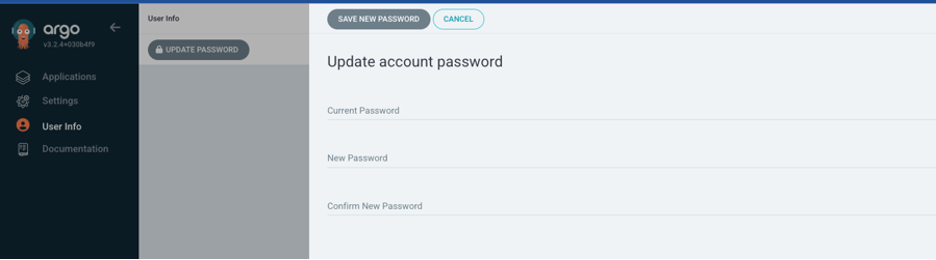
kubectl get secrets -n argocd argocd-initial-admin-secret -o jsonpath="{.data.password}" | base64 -d; echoThis reads the password from argocd-initial-admin-secret and decodes it. Change it after first login (UI: user menu → Update password).
 Back to top
Installing the Argo CD CLI (optional but recommended):
Download the latest Argo CD version. More detailed installation instructions can be found via the CLI installation documentation.
Also available in Mac, Linux and WSL Homebrew:
brew install argocd
After installing the CLI, log in to your Argo CD server:
argocd login <ARGOCD_SERVER>
Replace <ARGOCD_SERVER> with your UI address. Use the same credentials as above, or fetch the initial password with:
argocd admin initial-password -n argocd
Then update your password:
argocd account update-passwordBack to top
Deploying Blazemeter Private Location with Argo CD
With Argo CD running, let’s model a Private Location as an Argo CD Application. My requirement was to support different scales (small, staging, large), or you can split by environment (dev, staging, prod). The pattern is the same in both cases: keep a shared chart, customize with values.
Before wiring up Argo CD, I prepared my Helm values. You can either:
Keep your values in a separate Git repo (for example, in my case, I have prepared 3 different sets of values file i.e:
opl-staging-values.yaml,opl-small-values.yaml,&opl-large-values.yamlformat of the values file (it must match the helm-crane values)
ORFork the upstream chart (Blazemeter/helm-crane) and add multiple
values-<profile>.yamlfiles in the same forked repository. We can reference them in our ArgoCD application.
The Argo CD Application spec will differ slightly based on the approach (multi‑source vs forked chart).
For my use case, I created three profiles: staging, small, and large. The main knobs I changed were:
resourcesExecutors: to scale CPU/memory requests and limits per profile.nodeSelectorExecutor: to schedule executors onto specific nodes/pools in the cluster.
With these configurations/profiles in place, I created three Argo CD Applications (one per size) to deploy and maintain each Private Location independently.
Note that I am using the fromSecret field in the helm-crane to pull sensitive values (like Auth_tokens) from Kubernetes Secrets rather than committing them to Git. This keeps my repo clean of secrets. You can use External Secrets Operator, Sealed Secrets, or Secret Store CSI to manage these secrets securely.
Learn more about them here: simple: fromSecret, advanced: ExternalSecrets Operator OR SecretProviderClass
To create an Argo CD application, you have two good options:
Option 1: Multi-Source (Chart + Values in Separate Repos)
Use the upstream chart (
BlazeMeter/helm-crane)Store environment/size-specific values in a separate Git repository
Example files:
opl-staging-values.yamlopl-small-values.yamlopl-large-values.yaml
The values format must match whathelm-craneexpects.
Option 2: Forked Chart
Fork the upstreamhelm-cranerepositoryAdd multiple
values-<profile>.yamlfiles directly in your forkReference those files from the Argo CD Application
Option 1
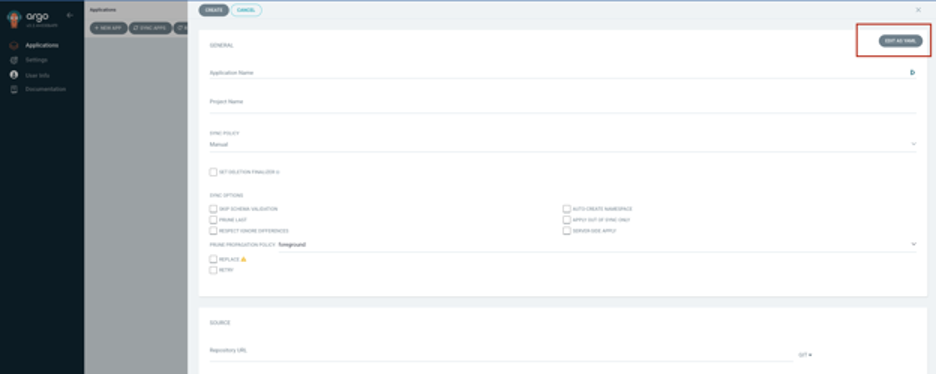
Let’s start with multi‑source. In the UI (see image above), click NEW APP → Add details of the application name → Edit as YAML and update the spec field as per the yaml below:
Feel free to update/make changes as per your need.
apiVersion: argoproj.io/v1alpha1
kind: Application
metadata:
name: crane-staging namespace: argocdspec:
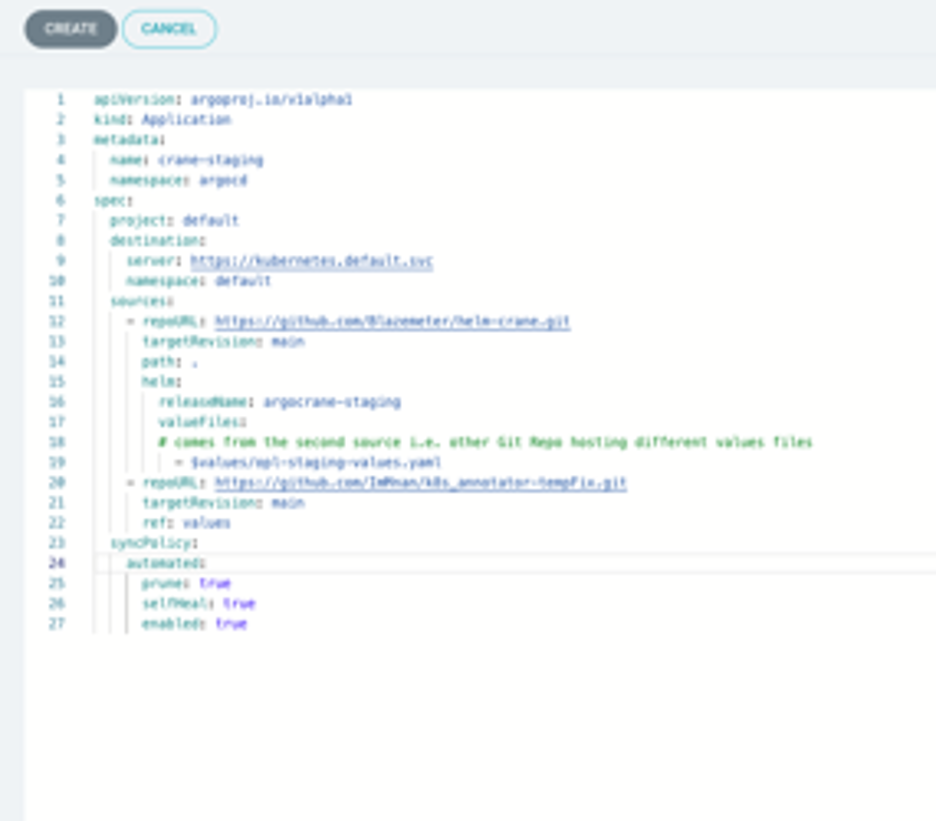
project: default destination: server: https://kubernetes.default.svc namespace: default sources: - repoURL: https://github.com/Blazemeter/helm-crane.git targetRevision: main path: . helm: releaseName: argocrane-staging valueFiles:# comes from the second source i.e. other Git Repo hosting custom values files
- $values/opl-staging-values.yaml
- repoURL: https://github.com/ImMnan/k8s_annotator-tempFix.git targetRevision: main ref: values syncPolicy: automated: enabled: trueApplication Spec Explained
Project: The Argo CD Project that scopes allowed sources, destinations, and cluster resources.
defaultis fine to start; larger orgs create per‑team projects for RBAC and guardrails.Destination / Server: Where Argo CD deploys.
serveris the Kubernetes API endpoint (https://kubernetes.default.svcmeans “same cluster as Argo CD”). Thenamespaceis where the Helm release/manifests go.Source / Sources: The Git location(s) for your manifests. Use
spec.sourcefor one repo orspec.sourcesfor multi‑repo. Each source setsrepoURL,targetRevision(branch/tag/commit),path, plus a tool config likehelm.RepoURL: The Git repository with manifests or the Helm chart (here, the Blazemeter
helm-cranechart).Helm valueFiles: Values files apply in order; later files override earlier ones. With multi‑source apps, reference another source via
$<ref>/path/file.yaml, where<ref>matches that source’sref:.Sync Policy: Automation controls.
Automatedenables continuous sync from Git.
New to Argo CD? Omit the automated block at first and approve syncs manually from the UI until you’re comfortable.
Next, click on ‘Create Application’ in UI to complete the process.
My preferred method is creating an application through kubectl instead of UI using the same yaml we used in the above code snippet example:
kubectl apply -f argo-application.yaml
This will work in the same way as clicking the Create Application button. In fact, it is a faster and safer option.
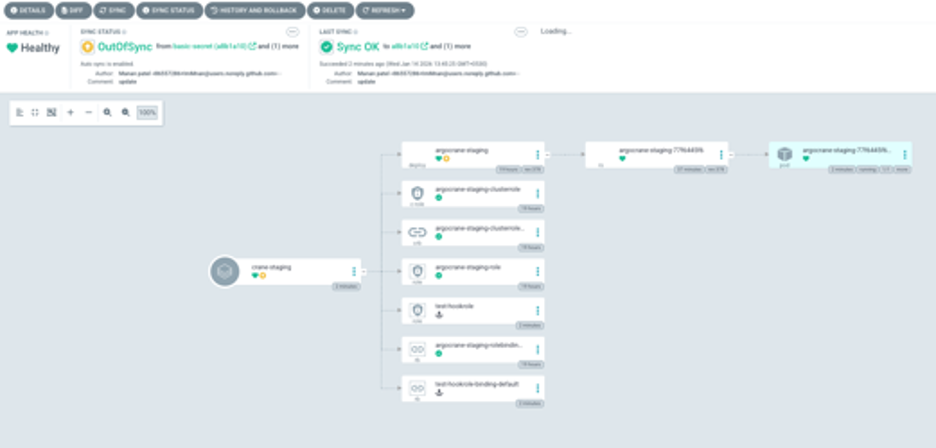
As we can see, my private location is now deployed and will be managed by Argo CD.
Option 2
Using the forked chart, fork the Blazemeter/helm-crane repo, edit values.yaml in your fork, and point your Application to it. As we are deploying multiple private locations, you will need multiple value files; the difference in this case is that we are placing these values in the same repository.
Again, go to the UI, click NEW APP → Add details of the application name → Edit as YAML and update the spec field as per the yaml below
apiVersion: argoproj.io/v1alpha1
kind: Application
metadata:
name: crane-stagingspec:
project: default destination: server: https://kubernetes.default.svc namespace: default source: repoURL: https://github.com/<your-username>/helm-crane.git targetRevision: main path: . helm: releaseName: argocrane-staging valueFiles: - values-staging.yaml syncPolicy: automated: prune: true selfHeal: true enabled: trueAfter creating the Application, if auto‑sync is enabled, Argo CD immediately deploys the chart with your values. Otherwise, click Sync in the UI and watch the resources come up.
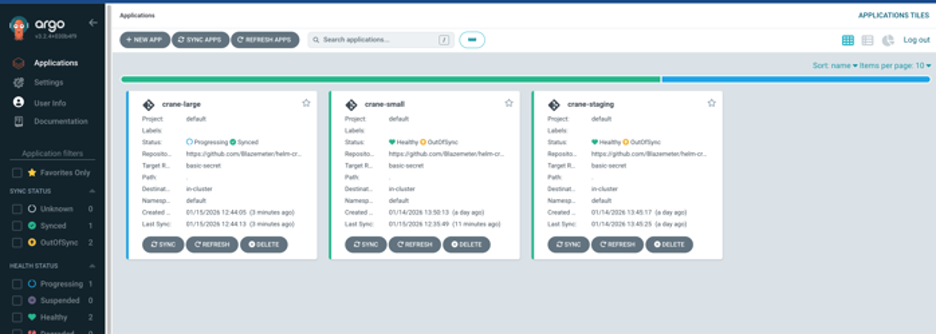
In my case, I created three Applications—crane-small, crane-staging, and crane-large—each pointing at a different values file. You can also split by environment (e.g., crane-dev, crane-staging, crane-prod) with different namespaces or clusters.
 Back to top
Maintaining, Updating, and Scaling
Now that everything is deployed and synced, we can change the configuration or upgrade the Private locations by editing the appropriate values-<profile>.yaml file in Git and open a PR. Once merged, Argo CD detects the change and applies it automatically (or I click Sync if not auto).
The UI/CLI shows the diff, health, and sync status. If something goes wrong, I can roll back to a previous Git commit.
Back to topBeyond the Basics
Multiple clusters: point
destination.serverto other clusters registered in Argo CD. One repo can drive many clusters.Argo CD Projects: use
spec.projectto isolate apps by team, namespace, and allowed sources/destinations.Secrets management: avoid committing secrets in plain text—consider External Secrets Operator, Sealed Secrets, or SOPS + KMS. Reference secret names from your values files.
Promotion workflow: use branches or folders (dev → staging → prod). Argo CD observes each and promotes via PRs.
Health and drift: out‑of‑band changes are detected as drift;
selfHealcorrects them. Audit trails live in Git and Argo CD history.Helm tips: order of
valueFilesmatters. Always use meaningfulreleaseNameper app.
Choosing a Secrets Strategy
Your Git repo should not contain plaintext secrets. Pick an approach that fits your platform and operations model. Here are solid options, from quickest to most robust:
Kubernetes Secrets (baseline): Simple and built‑in (i.e. fromSecret in helm-crane context). Secrets are only base64‑encoded; enable encryption at rest with your cloud KMS and lock down RBAC. Works for quick starts, but prefer one of the options below for stronger guarantees.
Sealed Secrets (cluster‑key encryption): Encrypt secrets with the cluster’s public key and commit the encrypted file to Git. A controller decrypts it into a Kubernetes Secret at apply time. Pros: safe to commit to Git, straightforward UX. Cons: each cluster has its own key; rotating keys and multi‑cluster workflows require planning.
External Secrets Operator (cloud secret stores): ESO syncs secrets from providers like AWS Secrets Manager/SSM, GCP Secret Manager, and Azure Key Vault into Kubernetes Secrets. Pros: central rotation, no secret material in Git, mature cloud IAM/RBAC story. Cons: adds a controller dependency and requires cloud IAM wiring.
The SecretProviderClass resource is used with the Secrets Store CSI Driver to mount secrets, keys, or certificates from external secret management systems (such as Azure Key Vault, AWS Secrets Manager, or HashiCorp Vault) into Kubernetes pods as files or Kubernetes secrets.
How This Ties Into Your Helm Values
Most charts (including Blazemeter’s) let you reference an existing secret by name. Keep credentials in a Secret (managed by ESO/Sealed/SecretProvider class) and set
existingSecret/secretNamein your values. Your Application stays free of secret data.If you need secrets created before the chart reads them, use Argo CD sync waves or split into two Applications (secrets first, app second).
Operational Tips
Least privilege: scope Argo CD’s service account and ESO provider roles tightly.
Rotation: prefer provider‑driven rotation (ESO) or scheduled re‑encryption (SOPS/Sealed).
Reviews: never paste secrets in PRs; lint for accidental secrets in diffs.
Backups: back up only encrypted artifacts (SOPS/Sealed) or rely on cloud secret stores (ESO).
Troubleshooting Tips
Repo access: ensure Argo CD has credentials (SSH key, token) for private repos.
targetRevision: verify the branch/tag/commit exists; pinned tags make rollbacks easy.Namespace missing: add
syncOptions: [CreateNamespace=true]or pre‑create the namespace.Stuck in OutOfSync: check
values.yamlpaths and the$<ref>/...multi‑source references.Permission denied: confirm Argo CD’s service account RBAC for your target namespace.
To make the process even easier for you, below is a helpful video tutorial covering the steps outlined above.
Final Thoughts
GitOps with Argo CD gave me a reliable, auditable path to manage Blazemeter Private Locations at any scale. Configurations live in Git, changes are reviewed and traceable, and rollbacks are a click away. Whether you choose multi‑source values or a forked chart, the pattern is the same: declare intent in Git and let Argo CD keep reality in sync.
Ready to get started?